Built by broadcasters. Built for radio.
Playout, scheduling, library, processing, local and remote voice tracking, remote control, and monitoring — built together as one system.
WaveAir is modern radio automation that hasn’t forgotten how radio actually works. Familiar in the control room, serious underneath, and built so you don’t need an enterprise-sized budget to sound like an enterprise-sized station.
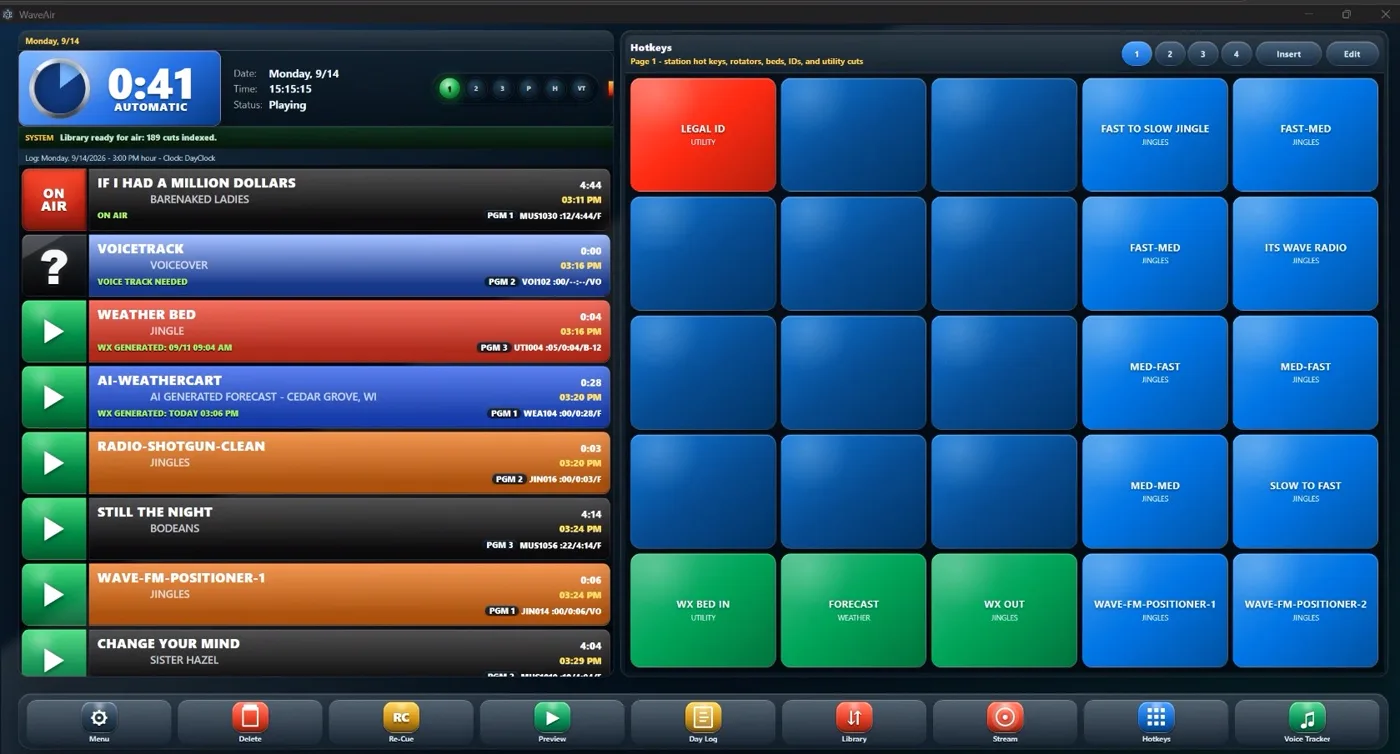
01 — On Air
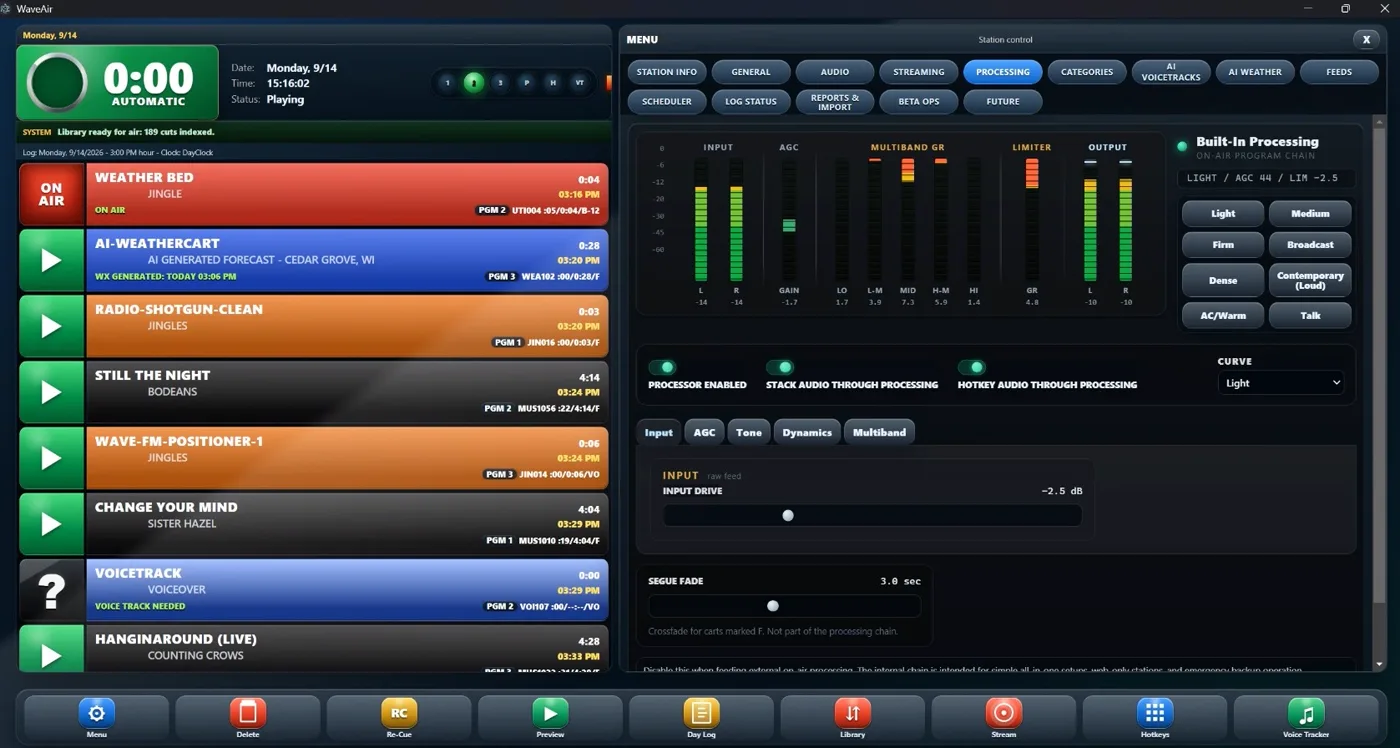
The On Air screen is where WaveAir gets out of the way. What’s playing. What’s next. What’s happening after that. It’s just… clean. Your clocks, your stack and your hot keys — all visible without digging through menus.
This is the screen your jocks live on. It should feel like home. No clutter. No small font. Just pure power.
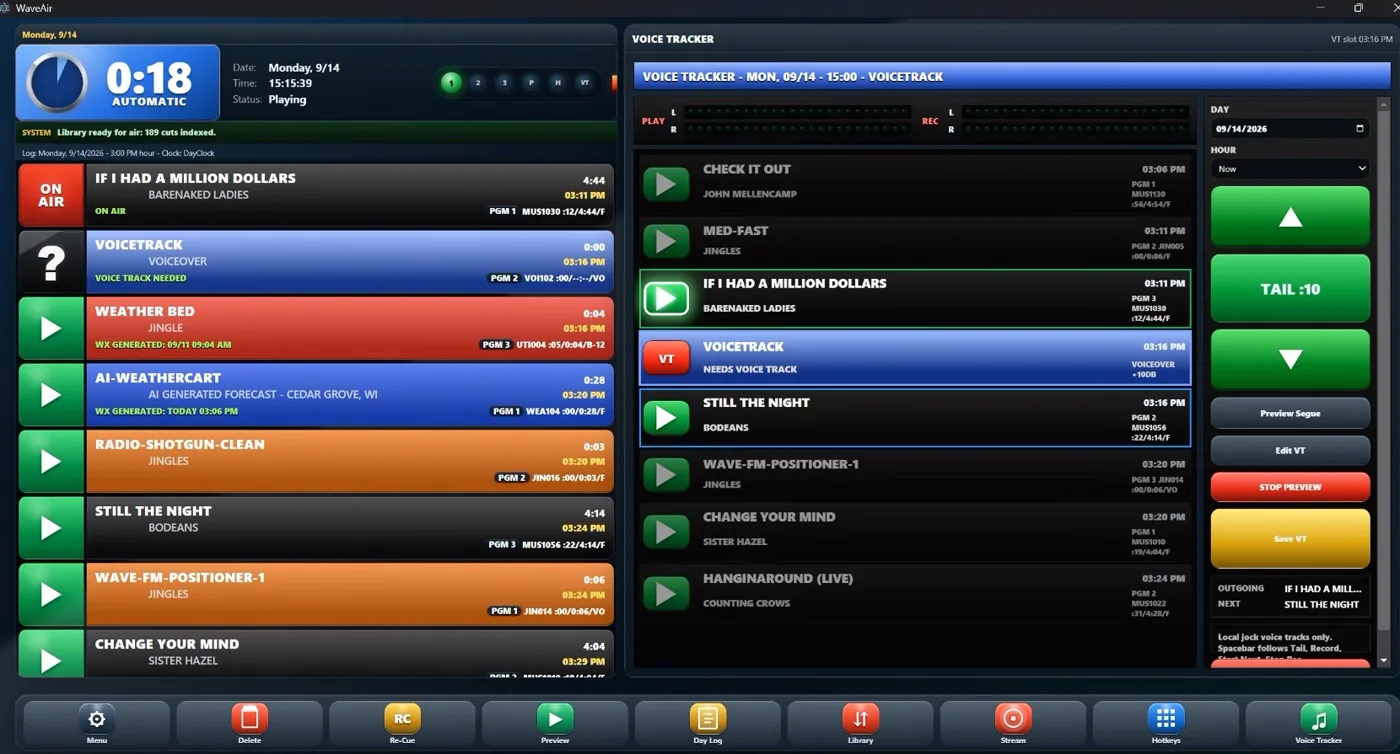
02 — Voice Tracker
Voice tracking shouldn’t feel like audio production. WaveAir puts the outgoing song, your break and the next song in one place. Hear the tail, record the break, fire the next song and hit the post without leaving the screen.
A good voice track should sound live. Making one shouldn’t take five minutes.
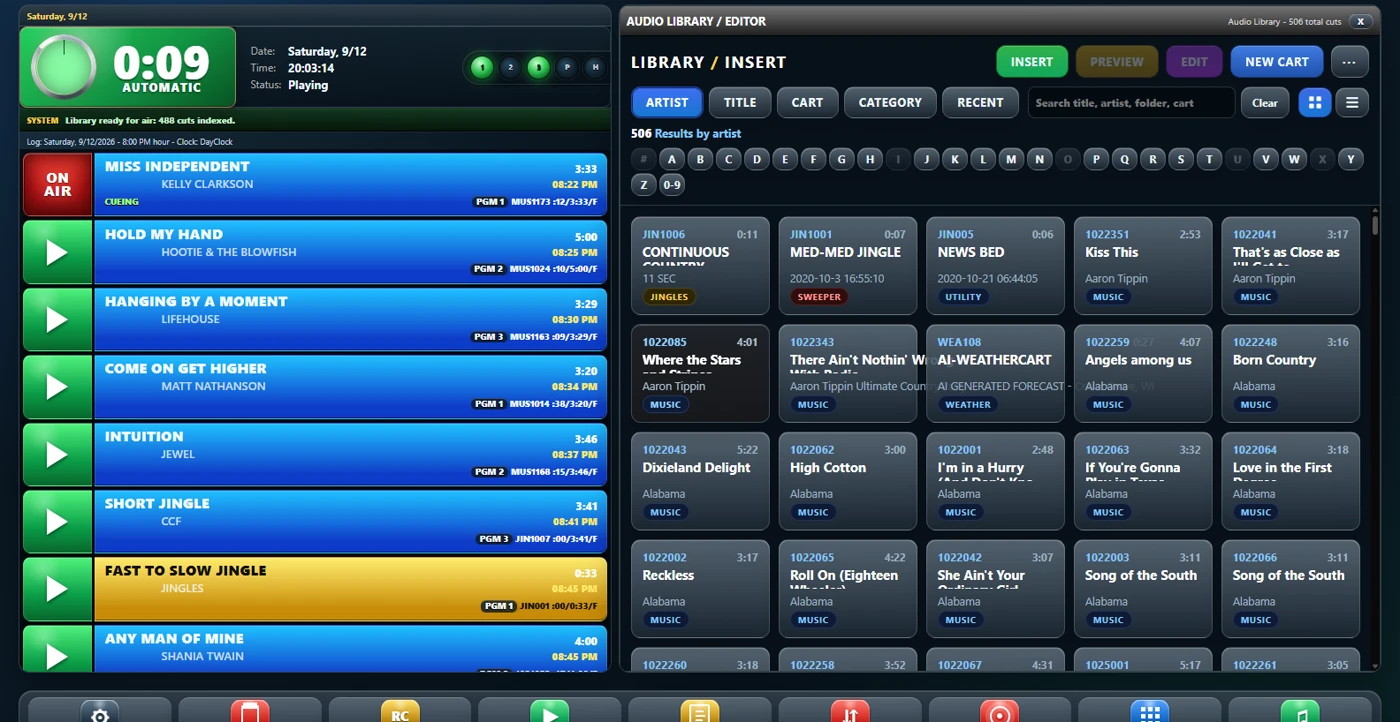
03 — Library
Thousands of cuts don’t matter if nobody can find the one they need. Start typing an artist, title, cart number or category and WaveAir gets you there.
Your library should know your station as well as you do.
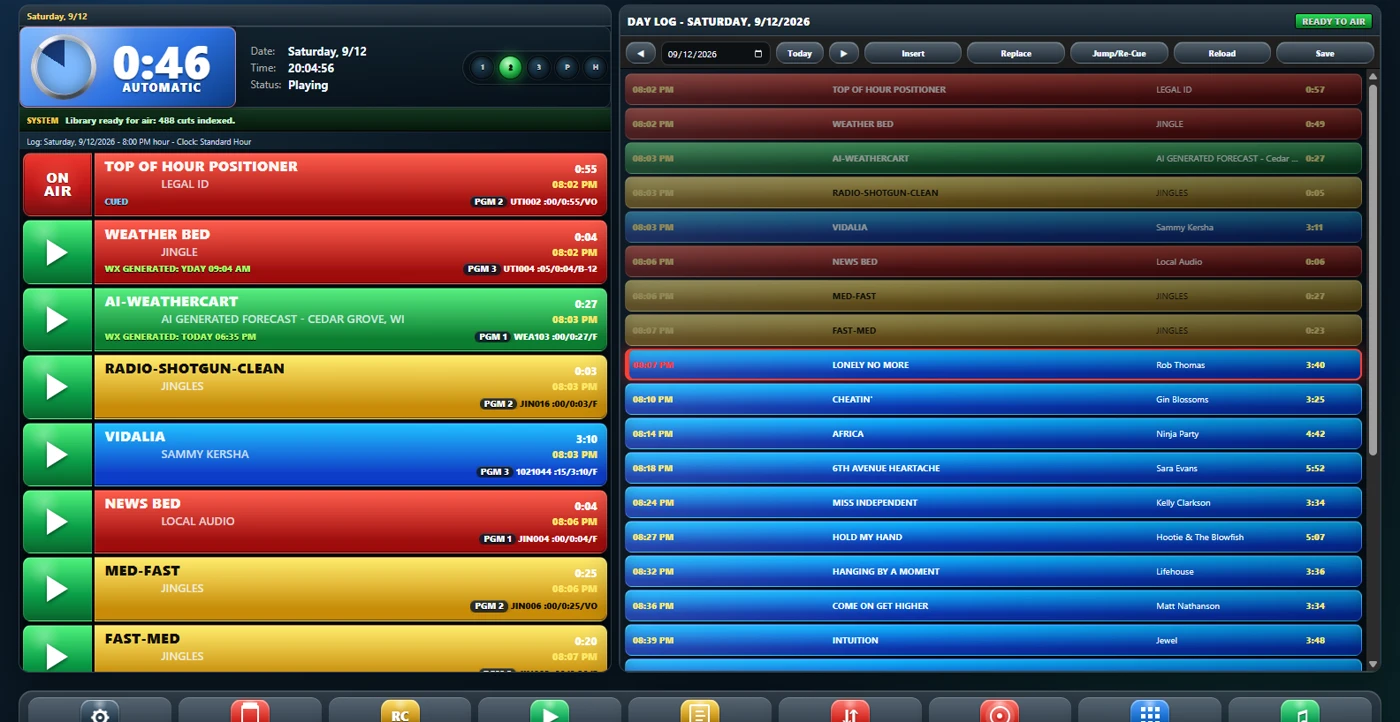
04 — Day Log
Yesterday’s schedule is history. Tomorrow’s is waiting. Today’s is already moving. The Day Log gives you the entire broadcast day hour by hour, while keeping the currently airing log alive and editable from anywhere.
Because the log never survives contact with an actual radio station.
05 — Processing
WaveAir includes a complete software air chain for stations that want it — and stays completely out of the way for stations that don’t. Start with one of the built-in profiles, or open the hood and build your own sound.
Clean and open. Warm and big. Loud enough to make the competition nervous. Your call.
06 — AI Weather
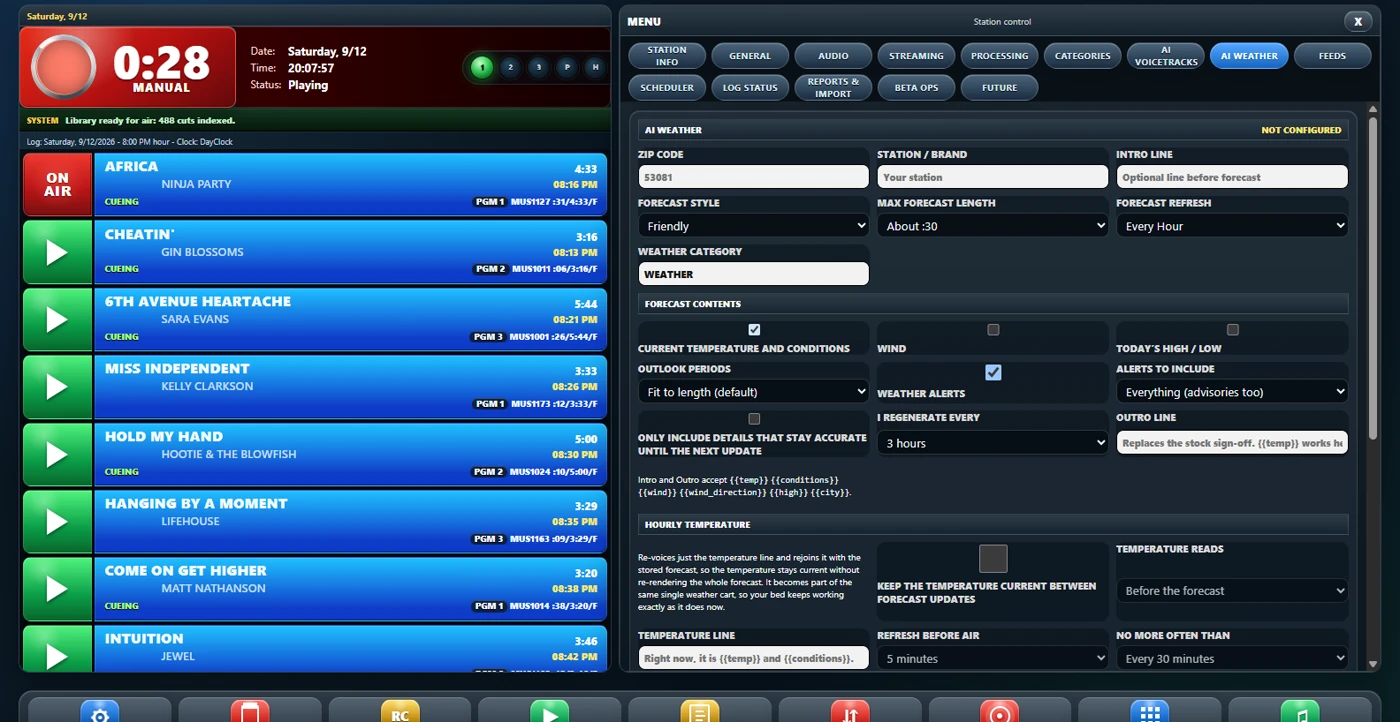
WaveAir can build, voice and update weather automatically — without making your station sound like somebody pasted a forecast from a website into a robot. You decide how it talks, how long it talks and what matters to your listeners.
Current when it airs. Local when it matters.
07 — Programming
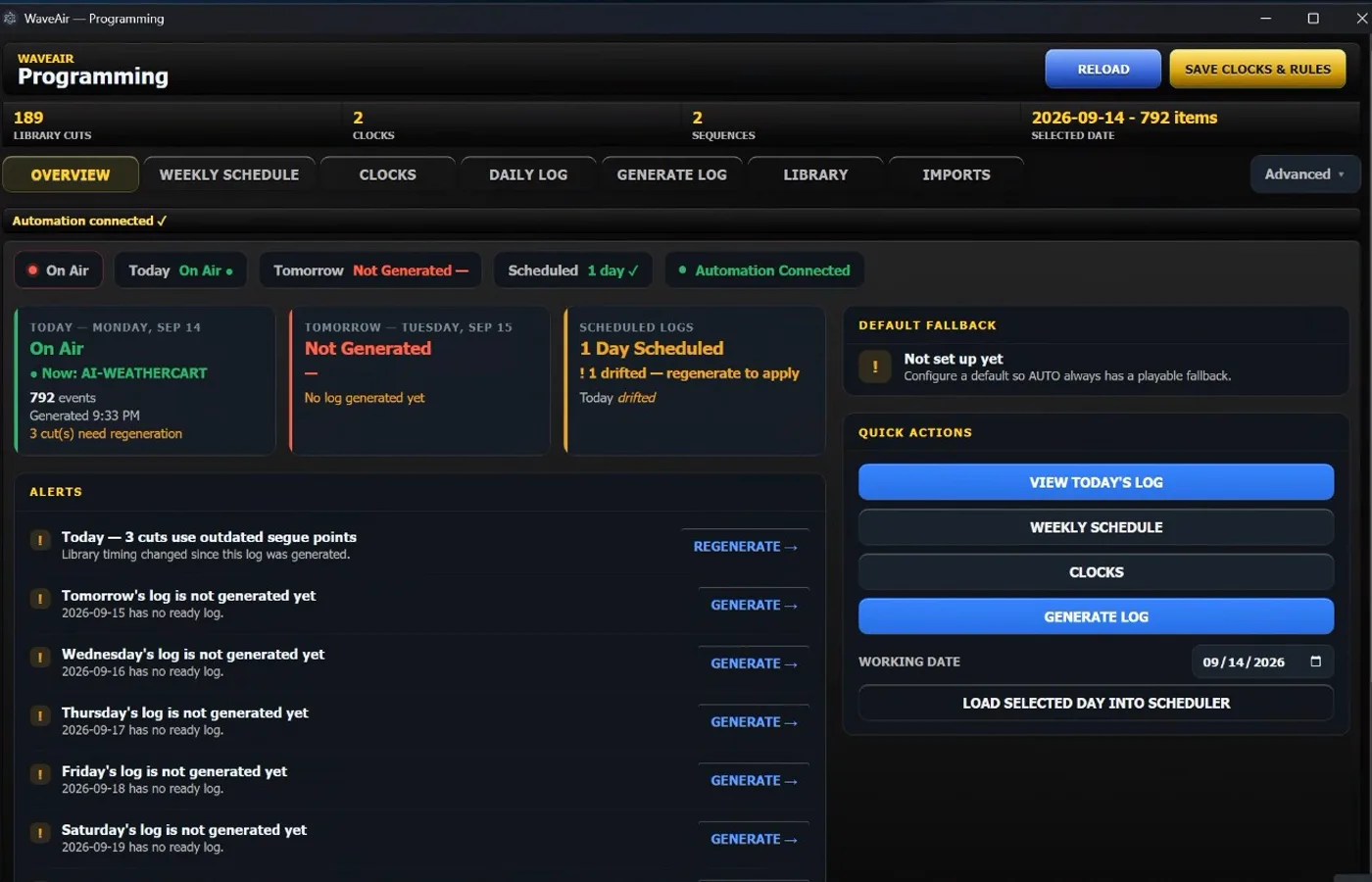
Clocks, rotations, schedules, traffic and daily logs come together in one programming system. Build your station’s normal week once, and WaveAir can take care of turning it into tomorrow’s air log.
Already use MusicMaster, Natural Log, RCS or another external scheduler? Keep it. WaveAir can bring music and traffic together into the final air log without making somebody babysit imports every day.
You don’t need to spend every afternoon building tomorrow’s log.
Build carts, edit audio, manage metadata and work on programming from another workstation — without tying up the machine keeping you on the air.
Put the WaveAir interface on another workstation, inside or outside the building, and see the same station state you’re used to seeing on the air.
Coming — live two-way audio between WaveRemote and WaveAir, so the whole show runs from one laptop and still sounds like the studio.
Feed your stream from the same processed program chain feeding the rest of WaveAir, instead of slowly ending up with a web stream that sounds like an entirely different radio station.
Changing automation shouldn’t mean rebuilding your station from scratch. WaveAir is built to preserve what matters when you move: cart numbers, categories, audio and timing metadata, wherever the source format provides it.
Our own migration brought 1,116 existing cue points across intact. We re-marked none of them.
WaveAir watches the things nobody should have to sit around watching. Logs, playout, streams and critical services report their health continuously, so a problem becomes an alert instead of tomorrow morning’s surprise.
The best 2 a.m. engineering call is the one nobody has to make.
We’re running WaveAir on real stations now while we finish the road to general release. We’re deliberately keeping the beta small — if you’re interested, tell us a little about your station and what you’re running today.
We’ll be in touch.
Or email us directly: contact@getwaveair.com